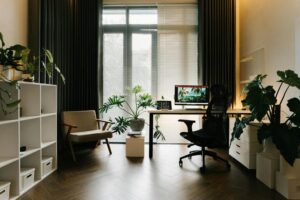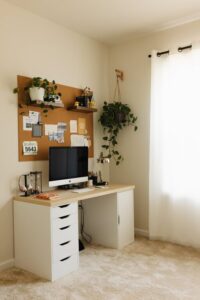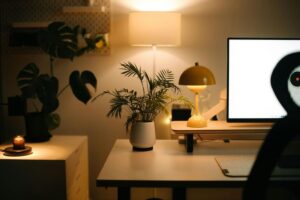
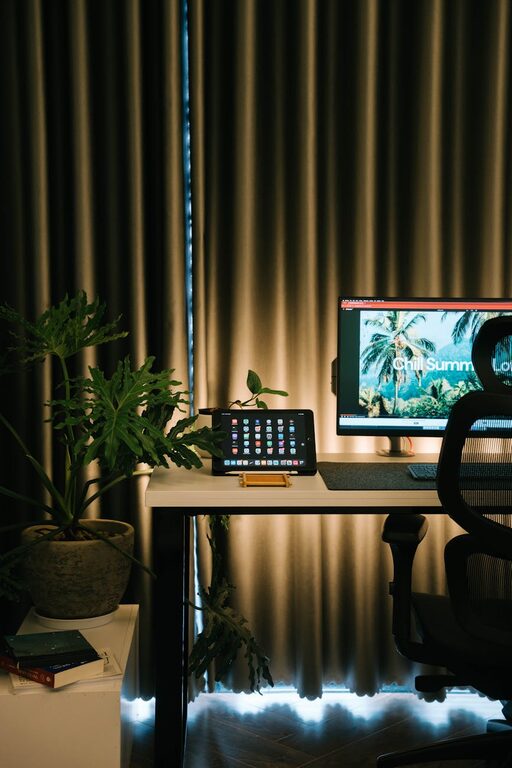
Creating a cozy and productive home office space is essential for anyone working from home or managing personal projects. A well-designed workspace can improve focus, reduce stress, and make your daily routine more enjoyable. Whether you have a dedicated room or a small corner in your living area, these tips will help you create an environment that feels inviting and supports your productivity.
Choose the Right Location
The first step is selecting the best spot for your home office. Ideally, it should have good natural light, be quiet, and be separated from distractions like the TV or busy household areas.
– Natural Light: Position your desk near a window to benefit from daylight. Natural light boosts mood and alertness.
– Privacy: Choose a place where you can close the door or create a visual barrier to minimize interruptions.
– Accessibility: Ensure that the space allows easy movement and is close to necessary resources like power outlets.
Invest in Comfortable Furniture
Comfort is key when you spend hours working at your desk. Ergonomic furniture helps maintain good posture and keeps you focused.
– Ergonomic Chair: A chair with adjustable height, lumbar support, and comfortable cushioning prevents back pain.
– Desk: Find a desk with enough surface area for your computer, notebooks, and other essentials. Standing desks or adjustable desks are great for varying your position.
– Footrest: If your feet don’t comfortably reach the ground, a footrest can reduce strain.
Organize Your Workspace Efficiently
A cluttered desk can lead to a cluttered mind. Keep your workspace tidy and organized to enhance productivity.
– Storage Solutions: Use shelves, drawers, or filing cabinets to store documents and supplies.
– Desk Accessories: Use organizers for pens, papers, and gadgets to keep items at hand but out of the way.
– Cable Management: Use clips or sleeves to keep cords neat and prevent tangling.
Personalize Without Overdoing It
Adding personal touches makes your workspace inviting and boosts creativity, but avoid overdecorating, which can be distracting.
– Plants: Small indoor plants add a touch of nature and improve air quality.
– Artwork and Photos: A few framed pictures or prints can brighten walls and inspire you.
– Colors: Use calming colors like blues or greens, or warm tones that feel cozy. Avoid overly bright or distracting patterns.
Improve Lighting
Good lighting reduces eye strain and improves concentration. Combine natural light with appropriate artificial lighting.
– Task Lighting: Use a desk lamp with adjustable brightness focused on your work area.
– Ambient Lighting: Soft overhead lights create a comfortable atmosphere.
– Avoid Glare: Position screens and lights to reduce glare on monitors.
Minimize Distractions
Creating boundaries between your workspace and living space can help you stay focused during work hours.
– Noise Control: Use noise-canceling headphones or a white noise machine if noise is an issue.
– Smartphone Management: Consider silencing notifications or keeping your phone out of reach.
– Clear Schedule: If sharing the space, communicate your work schedule to others.
Maintain Good Air Quality and Temperature
A comfortable environment supports well-being and productivity.
– Ventilation: Open windows when possible or use an air purifier.
– Temperature: Keep the room at a comfortable temperature, usually between 68-72°F (20-22°C).
– Humidity: Use a humidifier or dehumidifier as needed to keep air comfortable.
Establish a Routine
Your home office should support a routine that separates work from personal life.
– Set Work Hours: Define when you start and finish work to maintain balance.
– Breaks: Take regular breaks to stretch and rest your eyes.
– End-of-Day Ritual: Clear your desk and turn off your computer to signal the end of the workday.
Use Technology Wisely
Ensure your home office is equipped with reliable technology to avoid frustration and downtime.
– Internet Connection: A fast, stable internet connection is essential.
– Backup Power: Consider a battery backup or surge protector to save your work during outages.
– Software Tools: Use productivity apps and tools to keep tasks organized and communication efficient.
Final Thoughts
Designing a cozy and productive home office is about balance. Comfort, organization, and personalization all play vital roles in creating a space where you can work efficiently while feeling relaxed. Start with a clear purpose for your office, choose the right furniture and location, and build an environment that supports your workflow and well-being. With these tips, your home workspace can be a place that energizes and inspires you every day.