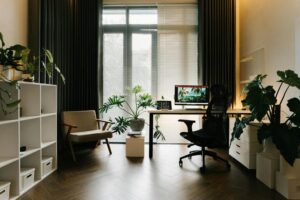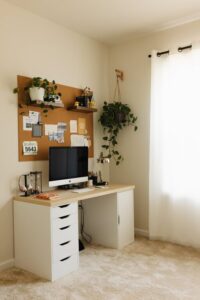
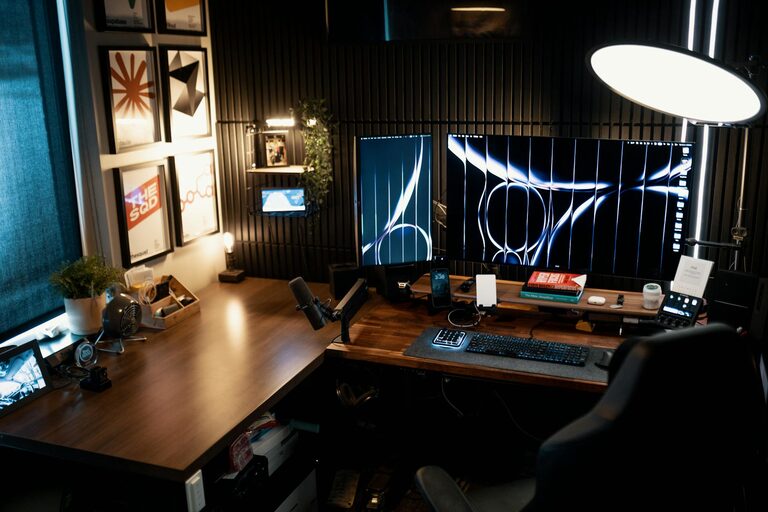
Creating a home office that feels cozy and helps you stay productive is essential for anyone working or studying from home. A well-designed workspace can improve your focus, reduce stress, and make your daily tasks more enjoyable. Whether you have a dedicated room or just a corner in your living space, these tips will guide you through achieving the perfect balance of comfort and efficiency.
Choose the Right Location
Find a Quiet Spot
Select a part of your home where distractions are minimal. If possible, pick a room with a door to separate your work area from household noise and activity.
Consider Natural Light
Position your desk near a window to enjoy natural light. Daylight not only improves mood but also reduces eye strain.
Think About Your Needs
Make sure the space allows you to sit and move comfortably. Take into account where you’ll store supplies and how much room you need for your equipment.
Invest in Comfortable Furniture
Ergonomic Chair
A good chair is essential. Look for adjustable chairs that support your lower back and encourage good posture during long hours of work.
Desk Size and Height
Choose a desk that fits your work style—enough space for your computer, notebook, and other essentials. A desk with adjustable height can offer the flexibility to alternate between sitting and standing.
Personalize Your Space
Add cushions, throws, or a small rug to increase comfort and make the space inviting.
Organize Efficiently
Declutter Regularly
Keep your desk tidy by removing unnecessary items. A clutter-free area helps clear your mind.
Use Storage Solutions
Shelves, drawers, bins, and organizers help keep everything in order and within reach.
Cable Management
Invest in cable clips or sleeves to keep wires neat and prevent tangles.
Optimize Lighting
Combine Different Light Sources
Use a mix of natural light, overhead lighting, and task lamps. Adjustable desk lamps are especially helpful for focused work.
Avoid Glare
Position screens and lamps to reduce glare and reflections that can cause eye strain.
Incorporate Personal Touches
Add Plants
Indoor plants improve air quality and add a calming touch to your workspace.
Decorate Thoughtfully
Incorporate artwork, inspirational quotes, or objects that make you feel motivated, but keep it minimal to avoid distractions.
Choose Soothing Colors
Soft, neutral tones or your favorite calming colors can promote concentration and relaxation.
Establish Boundaries
Set Work Hours
Create a schedule and stick to it. Having clear start and end times helps maintain work-life balance.
Use Visual Cues
A closed door or a specific item on your desk can signal to others that you are working.
Maintain Good Air Quality
Ventilation
Open windows when possible to refresh the air.
Air Purifiers
Consider using air purifiers if your home has poor ventilation or you want to reduce allergens.
Technology Tips
Reliable Internet
Ensure you have a stable internet connection to avoid interruptions.
Quality Equipment
Use ergonomic keyboards, headphones with noise cancellation, and large or multiple monitors if needed.
Backup Solutions
Regularly back up your work to avoid data loss.
Keep Healthy Habits
Take Breaks
Use reminders to stand, stretch, or walk every hour.
Hydrate and Snack Wisely
Keep water and healthy snacks nearby to stay energized.
Exercise Your Eyes
Practice the 20-20-20 rule: every 20 minutes, look at something 20 feet away for 20 seconds to reduce eye strain.
—
Designing a cozy and productive home office takes some planning, but creating a space that supports your needs and wellbeing pays off. By choosing the right location, investing in comfortable furniture, organizing efficiently, and personalizing your environment, you can enjoy working from home in a space that inspires focus and comfort.